April 10th, 2025
April 2025
Inventory Management (Beta)
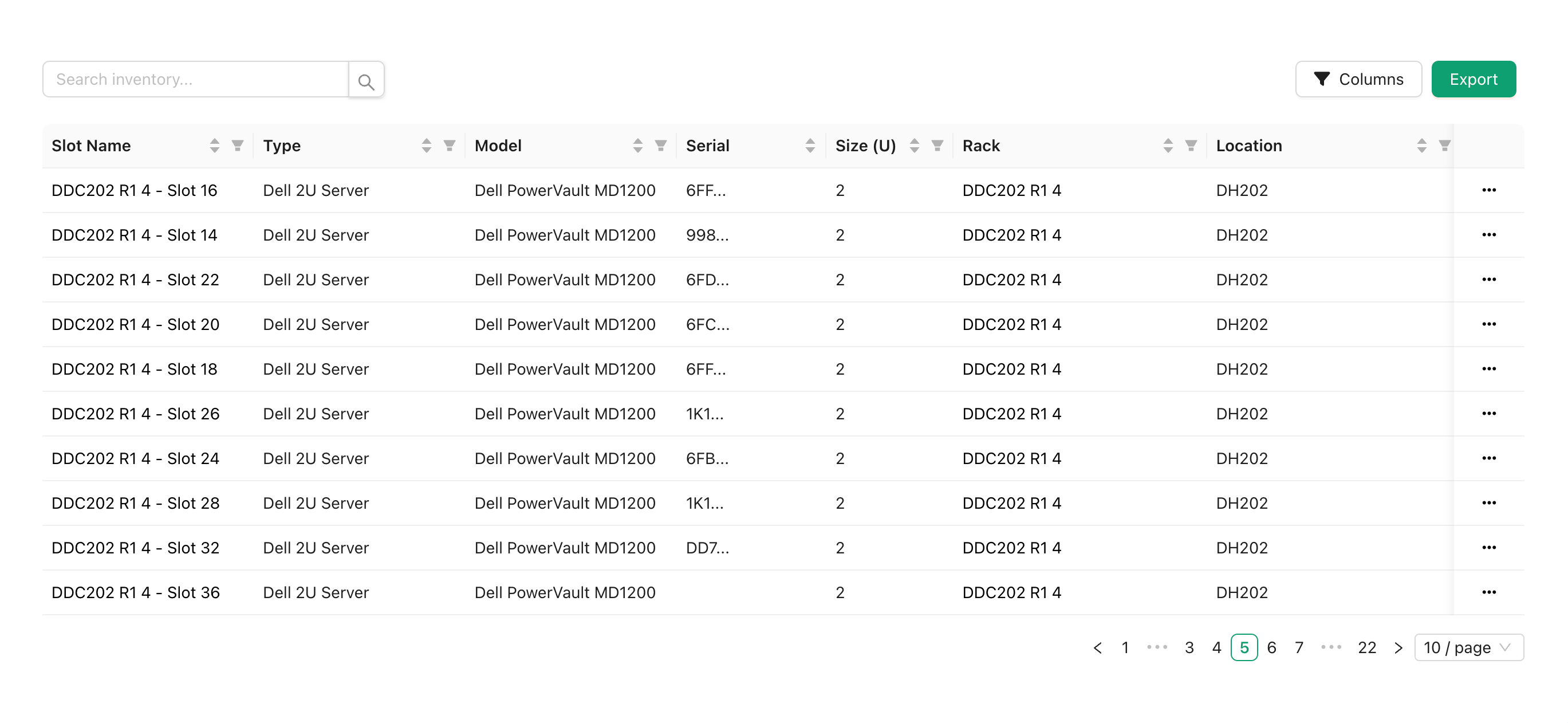
Inventory Management is now in open beta for users on paid plans.
With Inventory Management you can view all slots from all of your racks in one place, search and filter slots, export your entire inventory to JSON or CSV, and open a rack viewer or editor automatically selecting your slot.
In future versions of Inventory Management, you will be able to add additional details to inventory objects and sync the details across all racks with the same object, add existing inventory objects to racks, and create inventory objects without being assigned to a rack.
To enable Inventory Management, head to your account settings and turn on “Inventory Management” under “Early Access Features”, then refresh the page for the changes to apply.

If you are unable to see the “Early Access Features” section, ensure that you are on a paid plan and have all cookies enabled.
Bug & Styling Fixes
We’re constantly working on improving the platform and fixing bugs. This release includes various bug fixes and improvements, including fixes for:
Rack slots displaying with inconsistent sizing
Custom slots causing the racks to fail to load
Custom slot type cropping tool failing to load
Slot types showing up in the wrong category in the editor
Sidebar menu links failing to open in new tab, or opening page in both the current tab and new tab when attempting to open in new tab
Unsaved changes confirmation prompt display twice when leaving a rack or room